 tyde
tydeOrganize active agents
Find conversations, filter the agent list, and follow agents working in different projects.
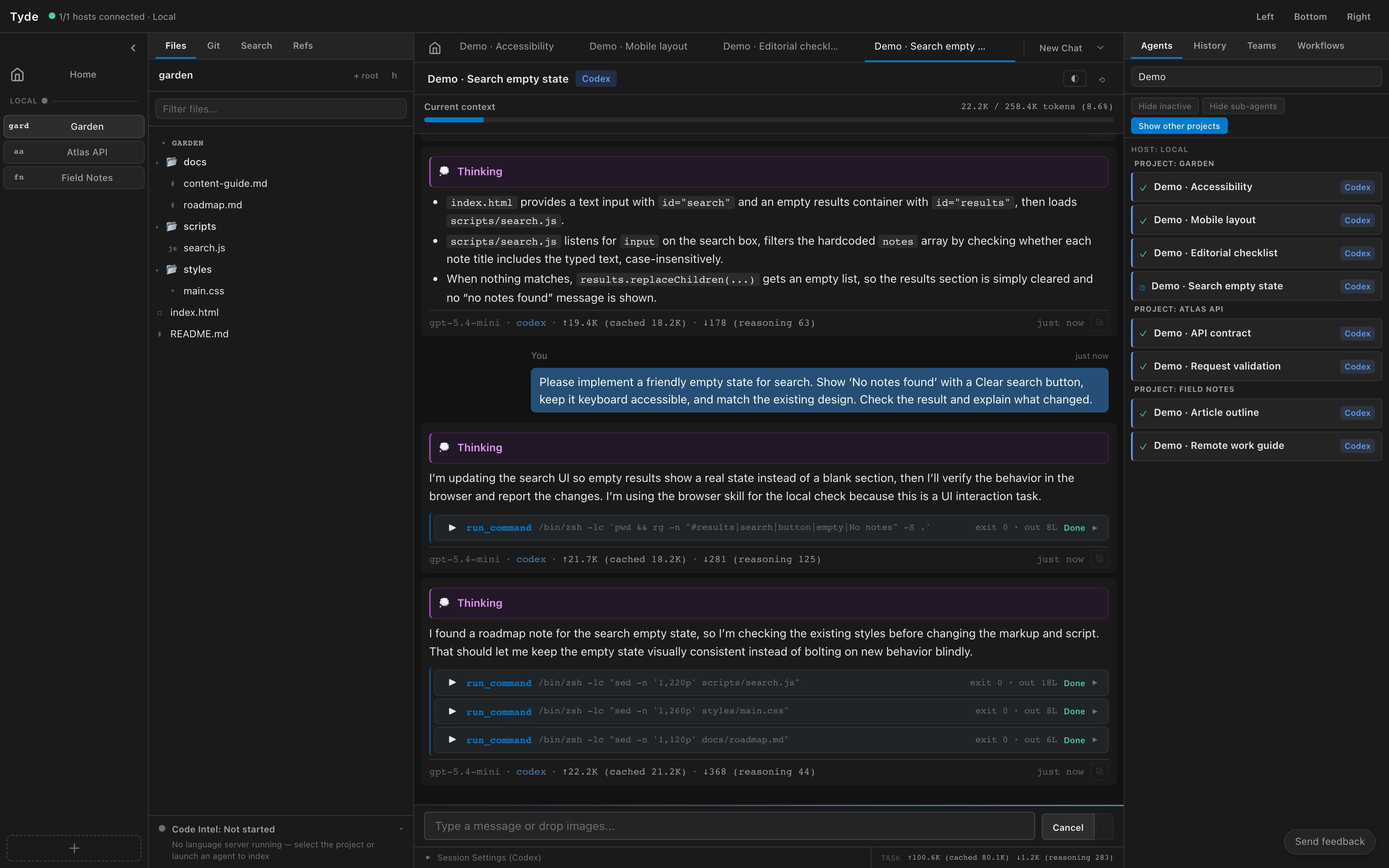
Open and name an agent
- Select the project whose agents you want to see.
- Open the Agents sidebar and select an agent to open its conversation.
- Use the agent’s Rename agent control to give it a recognizable task name.
- Switch between open conversation tabs to return to agents you are following.
For independent tasks, start separate conversations from the appropriate project. Naming them “Search empty state” and “API validation” makes the list easier to search than leaving both as New Chat.
Filter the agent list
| Control | Use it to |
|---|---|
| Search field | Find a named agent in the list. |
| Hide inactive | Reduce the list to active work. Turn it off to find idle agents again. |
| Hide sub-agents | Hide delegated children while looking through the parent agents. Turn it off to inspect a child. |
| Show other projects | Include agents outside the selected project. Check each agent’s project before sending a request. |
Changing these filters changes the list you see; it does not stop the hidden agents. At Home, the list can include projects by default. If an agent appears to be missing, clear the search and check these filters.
Open Agent Monitor from the command palette for a dedicated view of concurrent agent activity.
Inspect an agent’s status
- Find the agent in the list and read its status.
- Open the conversation to see the current response, tool call, or request for input.
- Answer any pending question using the conversation controls.
- If you need to stop the current work, interrupt the turn and send the corrected instruction.
- When a code task is complete, open its project’s Git panel to review the changes.
Selecting another project or conversation leaves other agents running. Closing the client connection also leaves remote agents on their host; see Disconnect and return.
Keep simultaneous edits understandable
Two agents in the same project roots can touch the same working files. Tell agents which files or responsibilities they own. For independent implementation tasks, use separate workbenches and review each change before integrating it.
Read-only investigation and review often work well alongside implementation, but reviewers need to know whether the files are still changing. Give them a stable commit or wait for the implementation to reach a reviewable point.